


Seabell Mosaic Tools – Replacement cutting wheels
Replacement cutting wheels for Seabell wheeled glass mosaic nippers
Keep cutting smoothly and accurately with your Seabell glass nippers using these replacement cutting wheels! Worn wheels can make cutting difficult and produce less tidy breaks. These replacement wheels restore cutting performance without buying a complete new pair of pliers.
Give your glass nippers a second life
Replacing the cutting wheels in time keeps your Seabell glass nippers suitable for precise cutting and shaping of glass mosaics. A practical, economical way to get more use from your tool.
Characteristics
-
Brand: Seabell Mosaic Tools
-
Type: Replacement cutting wheels
-
Suitable for: Seabell wheeled glass mosaic nippers
-
Application: Cut and shape glass mosaic
-
Advantage: Restores cutting quality on worn wheels
-
Maintenance: Extends the life of your wheeled glass mosaic nippers
Tip: Do you notice that cutting requires more power or that glass pieces break less neatly? Then check the cutting wheels and replace them when they are worn out.
.
YOUR NEW PROJECT
WHAT ELSE DO YOU NEED?


Gute Zange mit schmaler Backenbreite. Guter Preis, schneller und günstiger Versand nach Deutschland
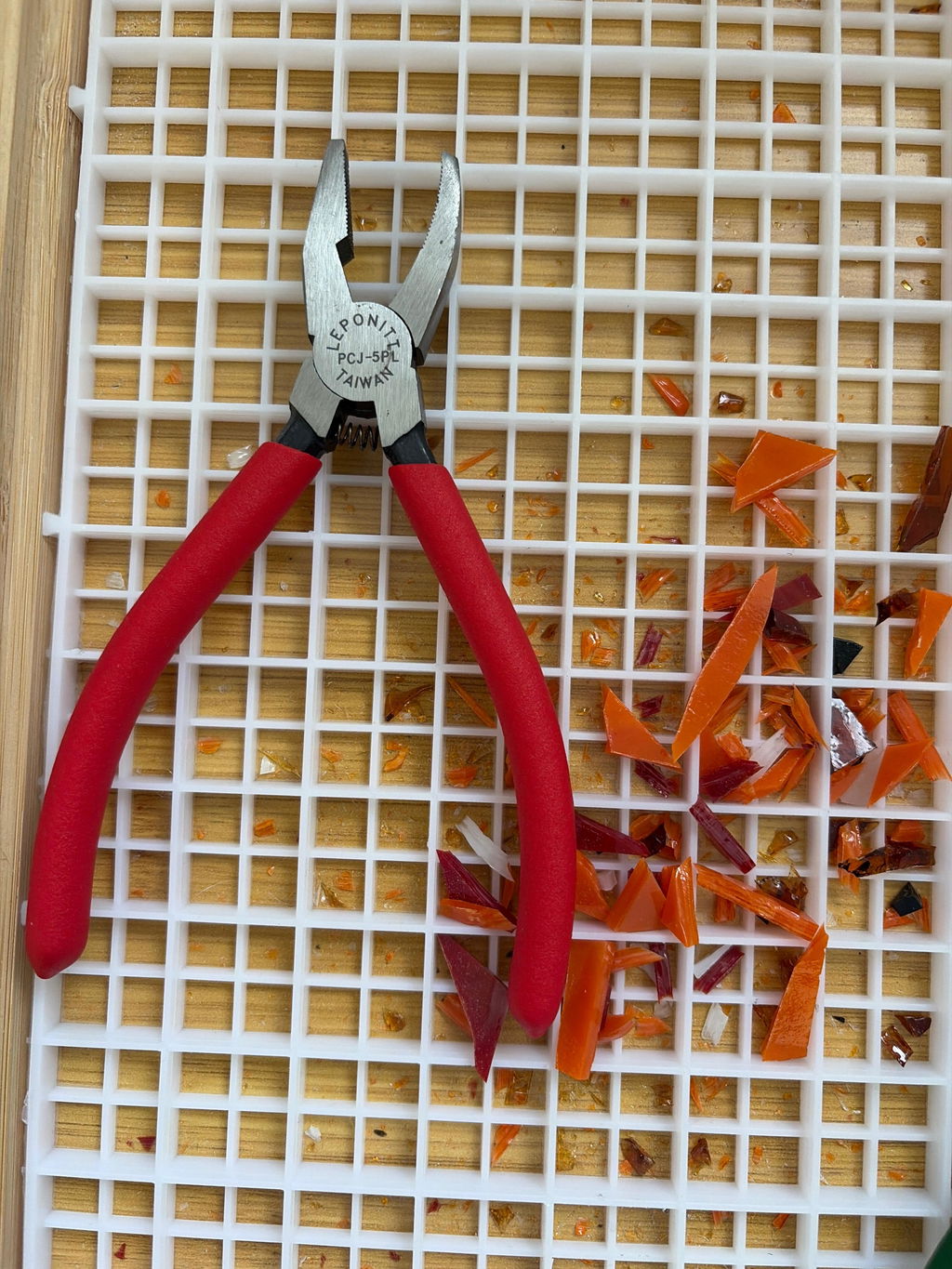
Danke für Ihre tolle Bewertung. Es freut uns sehr, dass Sie mit der Zange zufrieden sind. Wir hoffen, Sie bald wieder bei uns begrüßen zu dürfen!
Ich habe meine Bestellung sehr schnell bekommen! Die Kommunikation mit dem Geschäft war persönlich und klar.
Das Instrument wurde für meine Mutter gekauft, sie freut sich schon total auf alle Werke, die sie damit schaffen wird!
Es freut uns sehr, dass Ihre Bestellung schnell angekommen ist und Sie mit unserer persönlichen Kommunikation zufrieden waren. Besonders schön ist es zu hören, dass das Werkzeug für Ihre Mutter bestimmt ist.
Wir wünschen ihr ganz viel Freude damit und viele wunderschöne kreative Projekte!
Très bien !
Pince coupante au top!
Merci beaucoup pour votre avis.
Nous sommes ravis de lire que la pince coupante vous plaît. Nous vous souhaitons beaucoup de plaisir dans vos créations.
Die Brechzange gefällt mir sehr gut, liegt angenehm in der Hand.
Vielen Dank für Ihre schöne Rückmeldung.
Es freut uns sehr, dass Ihnen die Brechzange gut gefällt und angenehm in der Hand liegt. Wir wünschen Ihnen viel Freude bei Ihren Projekten 😊
These are the best kippers that I have ever used!
Nice to hear, thank you so much! We’re really happy that you consider them the best nippers you’ve ever used. Enjoy working with them, and thanks again for your trust 😊
Je serai très heureuse de pouvoir m'en servir, mais il me manque le mode d'emplois. Merci pour le renseignement. Sinon elle est très légère.
Merci beaucoup pour votre message !
Il est vrai que, malheureusement, aucun outil n’est livré avec un mode d’emploi papier. En revanche, dans la fiche produit de la pince SeaBell, vous trouverez un lien vers une vidéo YouTube où son utilisation est clairement expliquée.
Pour les autres pinces de notre assortiment, il existe également des vidéos sur YouTube montrant leur fonctionnement et leur utilisation.
Nous espérons que cela vous aidera à prendre la pince en main et vous souhaitons beaucoup de plaisir à l’utiliser.
Der Titel spricht für sich selbst! Angebot, Qualität der Ware, Logistik - alles top!
Vielen Dank für Ihr tolles Feedback! Es freut uns sehr, dass Sie mit Angebot, Qualität und Logistik so zufrieden sind. Bis zum nächsten Mal!
Great tool, I should have had this many years ago
Thank you so much for your great feedback! We’re thrilled to hear you love the tool — better late than never 😉 Enjoy using it, and see you again soon!
Parfait
Merci beaucoup ! Heureux que tout parfait pour vous. À bientôt !
Olie voor Glassnijder
J'en ai acheté une pour essayer, trop bien, du coup je m'en suis racheté 2 autres ( je donne des cours)
Je travaille aussi avec Alzheimer 92 et le président m'a demandé de lui en acheter 4 car avec les leponits ou autres ils avaient du mal à casser les tesselles, avec celles ci ils sont plus autonomes
Bref ces pinces c'est du bonheur
Merci beaucoup pour votre magnifique retour ! Nous sommes vraiment touchés par votre message et ravis que ces pinces soient utiles dans votre travail et vos ateliers. C’est un vrai plaisir de savoir qu’elles apportent autant de satisfaction et d’autonomie.
Tout était parfait, la marchandise est arrivé en parfait état et assez vite
Bravo
Merci beaucoup pour votre avis ! Nous sommes ravis que tout se soit bien passé et que vous soyez satisfaite de votre commande. À bientôt !
Je viens de l'acheter et de l'essayer, elle est légère, coupe vraiment bien et sans effort
Merci beaucoup pour votre retour ! Nous sommes ravis que votre achat vous plaise et qu’il soit agréable à utiliser.
Wat een geweldig artikel. Je kunt heel gemakkelijk glasmozaiek doorknippen. Het kost weinig moeite om erdoor te komen.
Si légère et efficace sans avoir besoin de forcer.
Tres bon produit
Pince ergonomique excellente je conseille à tous
Cette a une très bonne prise en mains et les coupes sont nettes. Cependant, après avoir coupé une trentaine de tesselles, la pince s'est bloquée. Impossible à manipuler. J'ai mis du W40 sur l'axe et le ressort. Ça fonctionne à nouveau et j'espère que ça ne va pas se reproduire souvent.
Cordialement.
Expedition très rapide et produit de qualité à recommander très serieux
Merci beaucoup pour votre retour positif! Nous sommes ravis de savoir que vous êtes satisfait(e) de la rapidité de notre expédition et de la qualité de nos produits.
Votre recommandation est la plus belle récompense pour notre travail. Nous espérons vous revoir bientôt pour de nouveaux projets!
Breda Glaskniptang
Super Werkzeug
Excellent outil, bon rapport qualité /prix, très grande précision de la coupe, et grand confort pour le poignet grâce aux petits tampons amortisseurs.
Fabrication européenne. 3xcellent service à la commande et réception.
Prima tang.
👍👍👍👍👍
La Roll Royce de la pince à roulettes. Je suis ravie. Merci.
Glasbreektang
Usein kysytyt kysymykset
There are several ways you can pay safely online at Mosaicshop. You can choose the following options when you go to pay for your order at check out:
- Visa
- Mastercard
- PayPal
- Bancontact / Mister Cash
- Maestro
- KBC Online / CBC Online
- Belfius
- iDeal
- Giropay
- Sofort Bankig
- Klarna
- Bank Transfer
- Apple Pay
- Google Pay
- American Express
- Union Pay
- Shop Pay
- EPS
Once your order has been placed with MosaicShop, we will immediately send an order confirmation to your email. Should you not find our email in your inbox, don't forget to check your spam or junk folder.
MosaicShop proactively keeps you informed about the progress of your order. Email updates will inform you of each stage, from preparation to when your mosaic supplies have been dispatched.
Be sure to double-check the e-mail address provided: Make sure you have entered the correct e-mail address while placing your order. Also check that there are no typing errors.
Contact our customer service if you still have not received an order confirmation after completing the above steps, please contact our customer service. Please provide your order details, including the date and time of the order, so that we can help you further.


